
TAP TO COPY
01 / 03
NEW
Bold Grid Collage
0×Dynamic square feed layout that transforms photos into bold modular grid collages for eye-catching social posts.
Graphic##FeedReady##GridCollage##Bold
A curated drop of AI image styles.
Tap any image → prompt copied. Paste into Midjourney, Gemini, GPT, DALL·E, CLAUDE, SDXL, whatever. Go viral.
Dynamic square feed layout that transforms photos into bold modular grid collages for eye-catching social posts.

High-conversion social thumbnail treatment with bold subject isolation, punchy contrast, and feed-ready clarity

Ugly scribbly MS Paint-style redraw for intentionally terrible meme-like image transformations.

Transforms photos into a hand-sculpted polymer-clay portrait while preserving identity and proportions

Moody neon-lit, rain-soaked portrait look with wet-skin reflections and cinematic bokeh

Playful chibi mini-characters and subtle doodles layered seamlessly onto a crisp, untouched portrait.
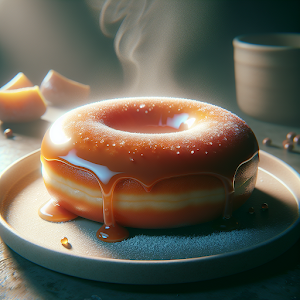
High-detail commercial food and lifestyle enhancement that emphasizes texture, moisture, and appetizing color while keeping the subject unchanged

High-end 3D portrait meets mosaic collage in a stylized silhouette composition.

Bold identity-preserving 3D caricature portrait with elongated proportions, clean studio finish, and street-luxury styling.

Cinematic high-fashion editorial studio portrait that preserves identity and photorealistic detail
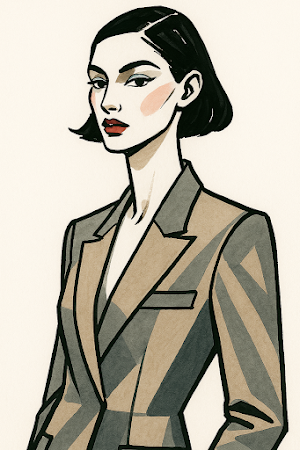
Minimal hand-drawn high-fashion editorial sketch preserving identity with elongated proportions, bold ink contours, and flat marker color.

Premium soft-focus product treatment with delicate fabric drape, creamy tones, and tactile material emphasis

Identity-preserving instant-film collage that frames the subject within peeled instant-photo fragments for a tactile vintage look.
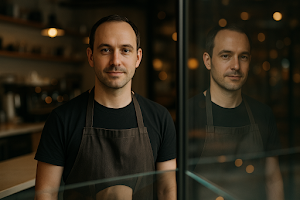
Identity-preserving portrait grade that adds realistic window/glass reflections and matched lighting.

High-impact duotone gradient treatment that turns photos into bold, identity-preserving pop portraits.

Grid-style editorial moodboard that assembles hero and detail panels while preserving identity and realism
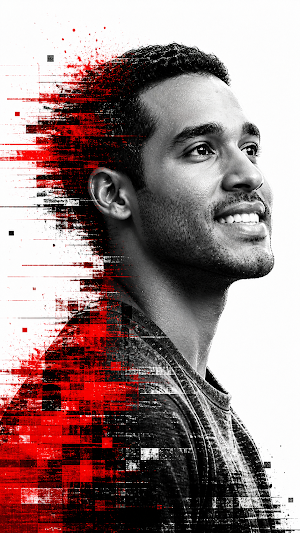
High-contrast monochrome portrait fused with glitch art and cyberpunk-inspired visual distortion.

High-energy poster look for memes, social posts and fast viral sharing."

Warm cinematic candlelit portrait grade that adds intimate flame-lit modeling while preserving identity.

Lively festival-style grade adding colorful stage lights, confetti bokeh, and atmospheric haze while preserving subject identity
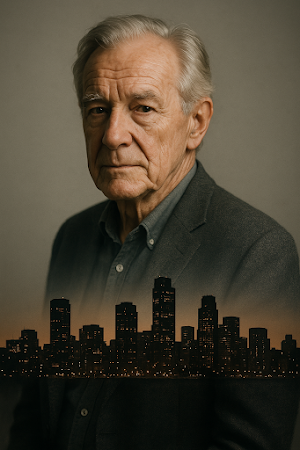
Surreal identity-preserving portrait that blends an artful city skyline double-exposure into the subject while keeping facial details intact

Nighttime bioluminescent-style glow that adds soft cyan rim lights, floating light particles, and wet micro-reflections while preserving the subject.
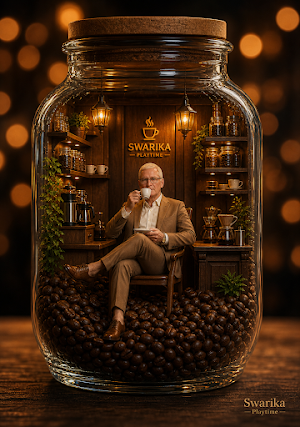
Ultra-realistic miniature coffee boutique inside a glass jar with cinematic lighting and premium lifestyle aesthetic.

Portrait-grade echo trail effect that layers translucent motion duplicates behind the subject while keeping identity intact
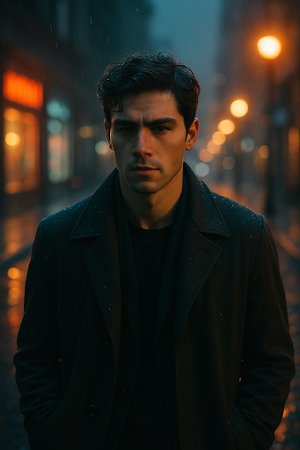
Cinematic urban twilight grade with cool teal shadows, warm street highlights, and wet reflective bokeh while preserving the subject.

Clean studio product transformation that enhances shape, materials, and reflections while keeping the object identical
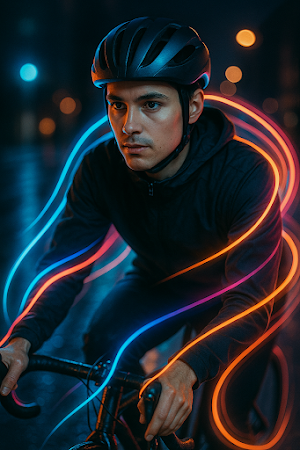
Add dynamic colored light-paint streaks and soft rim lighting for high-energy social portraits while preserving identity

Warm, doodle-enhanced flatlay and street-food edits that add hand-drawn accents and vintage Instagram tones.

Delicate watercolor-style portrait that preserves identity with wet brush textures and subtle paper grain
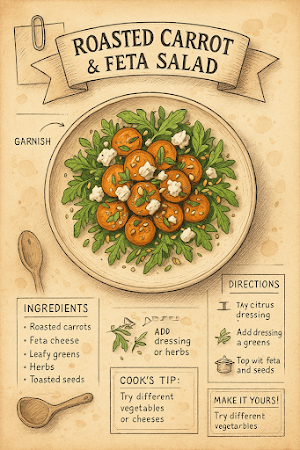
Hand-drawn vintage cookbook recipe page transform that turns a plated meal photo into an antique illustrated recipe layout
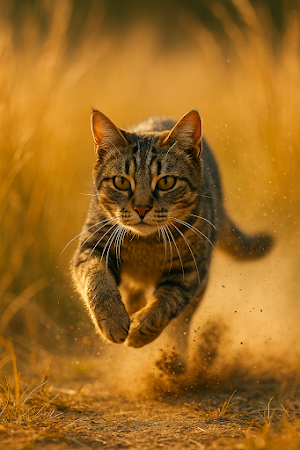
High-speed freeze-frame edit that captures pets mid-action with sharp fur detail and preserved identity
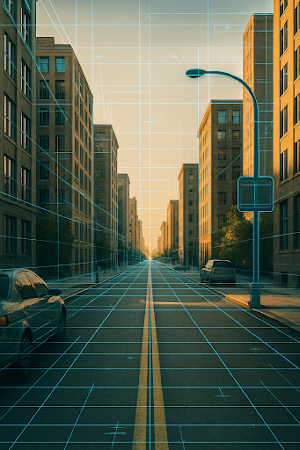
Architectural blueprint overlay that integrates technical linework and grid annotations onto photos while preserving the subject's identity.
Mastering the prompt is about mastering the virtual lens. This guide breaks down composition, application and commercial use — so you ship smarter, not just prettier.
Mastering the prompt is about mastering the "virtual lens." To replicate or adapt this composition, you need to understand the interplay between lighting and geometry.
The aesthetic success of a prompt lies in its controlled color temperature. Don't just prompt for colors — prompt for lighting conditions.
The framing uses a specific (simulated) focal length. To master spatial depth, consider these adjustments:
--ar 16:9 for web headers, --ar 4:5 for social — so the AI composes the subject correctly inside the frame.This bridges the gap between a "cool image" and a functional business asset.
In modern dev environments, this style is ideal for component-based design.
backdrop-filter: blur() or a linear-gradient overlay. When prompting backgrounds, use "bokeh" or "shallow depth of field" to keep focus on your interface.For high-performance ads, the "stopping power" of an image is your most important metric.
Professional prompting requires awareness of the output's limitations and rights.
AI is a powerful alternative to expensive stock photos, but it requires "human-in-the-loop" quality control.
To move beyond basic generation, you must leverage the Reasoning-Aware Pipeline of modern models like GPT Image 2, Midjourney V8 and Gemini 3 Image. This section breaks down the techniques that separate hobbyist prompts from production-grade output — structured syntax, reasoning-driven layout, video-ready depth, and surgical iteration.
Consistency in AI imagery now requires a structured, six-layered syntax. Read it left-to-right, treat every bracket as a non-optional slot:
[Medium] + [Core Subject] + [Environmental Context] + [Lighting Profile] + [Camera Composition] + [System Parameters]A production-ready example following the same skeleton — copy it, swap the subject, keep the structure:
Editorial photograph, a confident female founder mid-pitch, inside a sunlit Berlin loft office with concrete walls, soft 5600K window light from camera-left with subtle bounce fill, medium close-up, 35mm lens, rule of thirds, native 2K rendering, accurate Latin script typography on the laptop screen reading "SHOTCRAFT".2026 models no longer just match keywords — they interpret spatial logic. That is the breakthrough behind GPT Image 2 and the reason posters, UI mockups and infographics finally render with legible, hierarchy-aware text.
When you prompt for text, specify the physical hierarchy — where it sits, how light hits it, what it interacts with. This forces the model to reason about typography as an object rather than as a flat overlay.
A minimalist editorial poster where the headline "AI FUTURE" is physically integrated into the architectural shadows of a brutalist skyscraper. The letters cast and receive light from the setting sun. Treat the typography as a 3D object with depth and material weight, not as an overlay.Describe the structure the same way you would brief a designer: number of steps, left/right placement, icon-to-label pairing, and a strict font-size hierarchy. The reasoning engine will respect the spatial grid.
Clean 3-step infographic, isometric vector style. Step 1 (left): "Capture" with a camera icon. Step 2 (center): "Refine" with a slider icon. Step 3 (right): "Ship" with a rocket icon. Connect the steps with subtle arrows. Hierarchy: section titles in bold 24pt, body labels in 14pt regular. Accurate Latin typography, no decorative artifacts.A static image is increasingly just the first frame of a PixVerse V6 or Runway Gen-4 pipeline. To get clean motion instead of warped horror, you have to prompt for the third axis — depth — from the start.
Always define the Z-axis explicitly. Keywords like distinct foreground/background separation or layered atmospheric fog give the video model the layers it needs to animate camera motion without smearing the subject — essential for high-end cinematic ads.
Cinematic wide shot of a lone astronaut walking across a dune. Distinct foreground (rippled sand with sharp focus), midground (the subject in clean silhouette), background (eroded mountains with layered atmospheric fog). Strong Z-axis separation, shallow depth of field on midground only. Ready for Image-to-Video parallax animation (PixVerse V6 / Runway Gen-4).Image-to-video stability depends on what your still image already locks in. Burn these anchors into the prompt:
Stop re-rolling the entire prompt. 2026 workflows use targeted region-editing — you describe only the delta and the model keeps everything else identical. This preserves seed consistency at roughly 98% pixel retention, which is what you need for batch ad variants or character continuity across a series.
Keep the character, composition and seed. Change only: shift the lighting from noon to 18:00 golden hour, move the coffee cup from the right edge to the left margin, and add a thin volumetric haze in the background. Preserve facial identity (98% pixel retention).Tip: prefix the prompt with "Keep the character, composition and seed" — it dramatically raises retention rates on GPT Image 2 and Gemini 3 Image.
We use cookies for analytics (Google Analytics) and personalized ads (Google AdSense). You can accept all or continue with essential cookies only. See our Privacy Policy.